Best Social Listening Tools for LinkedIn in 2026: Ranked & Honestly Compared
A transparent, objectively ranked guide to the 10 best LinkedIn social listening tools, scored on compliance, data collection method, coverage and pricing.


Quick Answer: The best LinkedIn social listening tools in 2026 are BrandMentions, Brand24 and SentiOne, but the right choice depends less on feature count and more on what LinkedIn data each tool can actually access. That distinction matters because no platform offers unrestricted, network-wide LinkedIn keyword search. Every tool works through a different access route and that route determines what you can monitor and how complete the coverage is.
Best LinkedIn Social Listening Tools in 2026: Quick Verdict
If you want the short version, start with BrandMentions for broader LinkedIn discovery, Brand24 especially for company-page monitoring, and SentiOne for ad-comment workflows.
- Best overall for public LinkedIn discovery: BrandMentions - monitors public LinkedIn posts, articles and comments without requiring access to a logged-in LinkedIn member session, while combining those discoveries with web, news, forums and other social sources.
- Best for own LinkedIn page monitoring: Brand24 - a strong option for monitoring a company page you administer, including eligible comments and mentions that tag your organization.
- Best for advertising service teams: SentiOne - particularly strong for authorized LinkedIn accounts, multilingual monitoring, advertising content and dark-post comments.
- Best for social media operations: Sprout Social - best suited to teams that want LinkedIn comments, routing, approvals and publishing workflows inside the same operating platform.
- Best for enterprise research: Brandwatch - strong research and analysis capabilities, with authorized company-page data plus eligible brand tags on owned and non-owned pages.
- Best for LinkedIn-native buyer signals: OutX - provides deeper LinkedIn prospecting and intent signals, but depends on a logged-in browser session and therefore carries substantially higher account and platform-policy exposure.
There is no single “best” LinkedIn listening tool for every buyer. These products access different slices of LinkedIn. BrandMentions is the strongest when your goal is discovering public conversations about your brand, competitors or market beyond the pages you own; Brand24 is also a strong choice if monitoring your own LinkedIn presence is the priority.
I founded BrandMentions, so I have a direct commercial interest in this category. That makes the standard stricter, not looser. My own product gets the same provenance questions as every competitor here, and it loses points on one of them. You will see exactly where. If your requirement is broader than one network, start with our main guide to the best social listening tools; this article is strictly about LinkedIn brand monitoring and LinkedIn mention tracking.
The numerical ranking below scores all ten tools against the same seven-criterion rubric. A higher total score does not override a non-negotiable requirement: choose the tool whose LinkedIn dataset matches the question you actually need answered.
Scores come from a seven-criterion rubric (max 35) that weights documented coverage, provenance and access risk above feature count.
- BrandMentions - 31/35. Best overall for public LinkedIn discovery at a published price, with no member session. From $99/month quarterly, or $79/month annually.
- Brand24 - 30/35. Best for own LinkedIn data monitoring. From $249/month, or $199/month annually.
- SentiOne - 26/35. Best for European and multi-language service teams; authorized accounts plus advertising and dark-post collection. From $199/month.
- Sprout Social - 25/35. Best operating layer for owned-page comments, with one of the slowest documented LinkedIn refresh intervals at 24 hours. Standard $199/seat/month annually, plus Listening.
- Brandwatch - 24/35. Best enterprise research option; brand tags on owned and non-owned pages, 2-hour refresh, 200-post history ceiling. Custom quote.
- Meltwater - 22/35. Best media lineage; no LinkedIn listening connection, only a sampled, anonymized reshared stream in Explore. Custom quote.
- OutX - 19/35. Deepest LinkedIn-native capture, delivered through a browser extension on your own account. Free plan, Growth $99/month.
- Talkwalker - 17/35. Broadest media coverage, but LinkedIn data is excluded from API exports. Custom quote.
- CommunityTracker - 17/35. Cheapest bounded pilot, with an unexplained LinkedIn collection route. Starter $39/month.
- Mention - 13/35. Not a new-buyer option; LinkedIn source closed to new users on May 26, 2025 and the product stopped being sold standalone on July 1, 2026.
LinkedIn Monitoring Tools Ranked: The Scorecard
Component scores for all ten LinkedIn monitoring tools are below. The rubric, score anchors and the reasoning behind the weighting live in one canonical place, How This Ranking Was Scored, so you can inspect the component scores, understand the evidence behind them, and apply your own weighting to the criteria.
| Rank | Tool | Coverage | Provenance | Risk | Analysis | Speed and history | Integrations and export | Pricing clarity | Total |
|---|---|---|---|---|---|---|---|---|---|
| 1 | BrandMentions | 4 | 3 | 4 | 5 | 5 | 5 | 5 | 31/35 |
| 2 | Brand24 | 3 | 5 | 5 | 4 | 4 | 4 | 5 | 30/35 |
| 3 | SentiOne | 3 | 4 | 4 | 3 | 4 | 4 | 4 | 26/35 |
| 4 | Sprout Social | 3 | 5 | 5 | 4 | 2 | 4 | 2 | 25/35 |
| 5 | Brandwatch | 4 | 5 | 5 | 5 | 3 | 2 | 0 | 24/35 |
| 6 | Meltwater | 2 | 5 | 5 | 4 | 3 | 3 | 0 | 22/35 |
| 7 | OutX | 4 | 2 | 0 | 3 | 2 | 3 | 5 | 19/35 |
| 8 | Talkwalker | 2 | 4 | 5 | 4 | 1 | 1 | 0 | 17/35 |
| 9 | CommunityTracker | 2 | 0 | 2 | 3 | 2 | 3 | 5 | 17/35 |
| 10 | Mention | 0 | 3 | 3 | 3 | 1 | 2 | 1 | 13/35 |
A low position often means poor fit for LinkedIn-first buying rather than a weak product. Talkwalker and Brandwatch are great platforms. They are not where I would start if LinkedIn is the reason you are shopping.
What Is LinkedIn Social Listening?
LinkedIn social listening is the collection and analysis of accessible LinkedIn conversations to find brand references, customer problems, competitor discussion and buying signals. Its coverage is set by the access route and the permissions attached to it, not by the vendor's feature list.
In practice that means LinkedIn listening is never "all of LinkedIn." It is whatever one of four access patterns returns, filtered by the permissions your organization holds. A platform can analyze only what it was allowed to collect, which is why method comes before dashboards in every section below.
Comparison Table: Coverage, Method, Signals, Pricing
Prices are USD. Annual figures are monthly equivalents under annual billing. "Lower risk" applies to the documented authorized workflow, not to every possible use of the platform.
| Tool | LinkedIn coverage and method | Sentiment | Buyer signals | Entry price | Free access |
|---|---|---|---|---|---|
| BrandMentions | Public LinkedIn posts, articles and comments; excludes content requiring authentication | Per-mention sentiment, editable | Off-platform intent, competitor pages, cross-channel share of voice | $99/mo, or $79/mo annually | 7-day trial |
| Brand24 | Authorized organization content, optional comments, mentions tagging your organization | AI sentiment, editable | Query-led discovery, spike detection | $249/mo, or $199/mo annually | 14-day trial |
| SentiOne | Authorized LinkedIn accounts, including advertising content and dark posts | Multilingual AI sentiment | Anomaly detection, service routing | From $199/mo | Demo |
| Sprout Social | Comments and mentions on connected business profiles only | Listening sentiment | Limited on LinkedIn | Standard $199/seat/mo annually, plus Listening | 30-day platform trial |
| Brandwatch | Authorized pages plus eligible brand tags on owned and non-owned pages | Sentiment, emotion, custom classifiers | Research-grade, not prospect discovery | Custom quote | Demo |
| Meltwater | Owned-page connection; Explore receives sampled, anonymized reshared content | AI sentiment | Media and amplification focus | Custom quote | Demo |
| OutX | Browser and session-based LinkedIn monitoring, plus documented Reddit tracking | Intent labels, relevance scoring | Strongest LinkedIn-native signal density | Free, Growth $99/mo | Ongoing free plan, 2 private watchlists |
| Talkwalker | Own-page posts and comments plus advertising KPIs via LinkedIn add-on | AI sentiment, visual recognition platform-wide | Crisis and anomaly detection | Custom quote | No ongoing LinkedIn tier |
| CommunityTracker | LinkedIn advertised from Starter; collection route unexplained | AI scoring, sentiment not established | Buyer-intent scoring, enrichment | Starter $39/mo | Free plan, 1 Reddit keyword, no LinkedIn |
| Mention | LinkedIn source closed to new users since May 26, 2025 | AI sentiment | Limited | Not sold standalone since July 1, 2026 | Legacy customers only |
Methodology note: Every capability, limit, price and date in this article comes from vendor help centers, developer documentation, release notes, published pricing pages, platform policy pages and court records. Where no primary source publishes a number, this article prints none.
LinkedIn Refresh Cadence, History and Export Limits
This is the canonical reference table for LinkedIn mention tracking freshness, history and export rights. Every later section in this article points here instead of repeating the numbers, so check the plan you intend to buy against this one table.
| Tool | Documented LinkedIn refresh cadence | Documented LinkedIn history or backfill | Export restriction to check |
|---|---|---|---|
| BrandMentions | Starter daily, Pro hourly, Expert real time | Tier dependent, confirm against your plan | None documented for LinkedIn |
| Brand24 | Individual every 12 hours, Team hourly, Pro real time | Not published for the LinkedIn source | None documented for LinkedIn |
| SentiOne | Varies by package, real time included on higher packages | Longer history on higher packages, confirm in the current package list | None documented for LinkedIn |
| Sprout Social | Every 24 hours, among the slowest documented intervals here | 30 days automatic, up to 60 days manual backfill | None documented for LinkedIn |
| Brandwatch | Every 2 hours | 200 posts within 1 year | API downloads of LinkedIn posts and comments carry no snippet or full-text data; post-ingestion keyword filter capped at 600 characters |
| Meltwater | Not published for the sampled stream | 15 months rolling in Explore, sampled and anonymized reshared content | Confirm Explore export scope in the quote |
| OutX | Growth 24 hours, Expert 12 hours, Ultimate 6 hours | Not independently established | Browser extension required even for API use |
| Talkwalker | Not published for LinkedIn | Not published for LinkedIn | LinkedIn data excluded from API exports |
| CommunityTracker | Daily alerts on Starter | Not published | API access starts at Pro, 1,000 calls per day |
| Mention | Legacy source only | No historical backfill on the legacy LinkedIn source | Not assessable for new buyers |
How This Ranking Was Scored
Seven criteria, scored 0 to 5 each, maximum 35. Coverage, provenance and access risk come first, because they decide whether the data is real, repeatable and safe to act on. The rubric grades documented buying suitability, not measured performance, because no vendor publishes a like-for-like LinkedIn capture benchmark and I did not run one. Every component score is printed in the scorecard, so you can inspect the scoring and apply your own weighting against the documented evidence.
| Criterion | What it measures | Score anchors |
|---|---|---|
| Documented LinkedIn coverage | Which LinkedIn content the vendor's own documentation puts in scope | 0 unavailable to new buyers, 2 single narrow or sampled route, 3 authorized content plus eligible tags, 4 scope extending beyond owned pages, 5 documented network-wide keyword retrieval under authorization |
| Provenance transparency | Whether the collection route, authorization basis and exclusions are published | 0 undisclosed, 2 method described without authorization basis, 4 authorization and permissions documented, 5 authorization, permissions, scope and exclusions all documented |
| Access-risk position | Platform-policy and account-continuity exposure for you, the buyer | 0 relies on prohibited behavior, 2 unresolved provenance, 3 authorized with realized continuity issues, 4 authorized or no-session public collection, 5 authorized with documented permission flow and no member-session automation |
| Analysis depth | Sentiment, buyer-signal workflows, competitor analysis and share of voice within collected data | Graded on documented capability, never on claimed accuracy |
| Alert speed and history | Source-specific refresh cadence and documented LinkedIn history or backfill | 1 documented but severely limited, 2 daily or slower, 3 sub-daily, 4 hourly, 5 real-time option with documented history or backfill availability |
| Integrations and export rights | Destinations, API access, and documented source-level export restrictions | Export restrictions on LinkedIn fields cost points |
| Pricing transparency and free access | Published prices, package clarity, trial, ongoing free plan | 0 quote only, 5 published prices plus trial or free plan |
Ties favor clearer provenance. These are editorial scores grounded in the documentation cited in each review. They are not percentages of LinkedIn coverage, compliance certificates or measured accuracy, and no vendor paid for placement or reviewed this before publication.
Inclusion rule
A tool is scored here only if its LinkedIn collection route, cadence or limits could be sourced to primary vendor or platform documentation at review time. Tools named in other LinkedIn listening roundups that did not clear that bar are listed here as well, with the route question to settle before you shortlist them.
The 10 LinkedIn Monitoring Tools Reviewed
Every social listening tool for LinkedIn below gets the same six sections in the same order, after a one-line summary and an identically structured buying table.
1. BrandMentions: Best Overall for Public LinkedIn Discovery
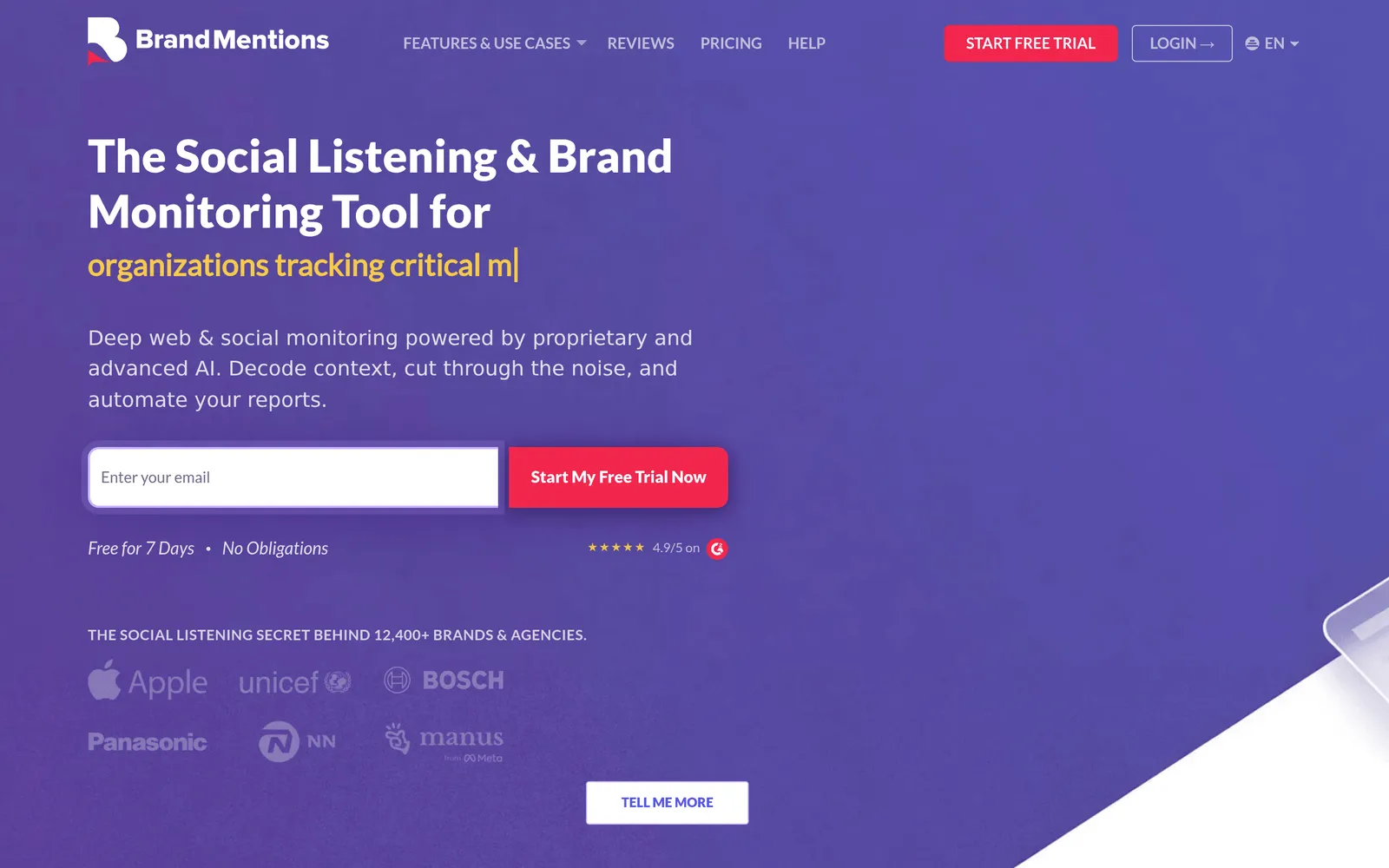
BrandMentions is a social listening and brand monitoring tool whose documented LinkedIn scope covers public LinkedIn posts, articles and comments, excluding anything that requires authentication to view, priced from $99/month billed quarterly, or $79/month annually.
| Buying detail | Verified position |
|---|---|
| Entry price | $99/month billed quarterly, or $79/month annually |
| Free access | 7-day trial |
| LinkedIn update cadence | Starter daily, Pro hourly, Expert real-time |
| Documented LinkedIn history | Tier dependent, confirm against your plan |
| Access-risk position | Lower, no member session involved; upstream route not published |
LinkedIn Coverage and Data Method
Our July 2026 help documentation lists public LinkedIn posts, articles and comments in scope, and excludes private content and anything requiring authentication to view. That is a broader LinkedIn scope than owned-page-only integrations, because it does not depend on you administering the page being discussed.
Core Strengths
The design choice I made years ago was to never automate a member's session, which is why no part of setup asks for your LinkedIn credentials or a browser extension. The second strength is structural: the same project that catches a LinkedIn discovery also catches the newsletter, forum thread, trade article and podcast transcript that quote it, which is usually where a LinkedIn conversation accumulates measurable volume. Prices are published at Starter $99 per month quarterly or $79 annually, Pro $299 or $249, Expert $499 or $399, and Enterprise from $1,299 or $1,099 annually.
Where It Falls Short
Our documentation defines what counts as a mention and what we exclude, but it does not publish the upstream collection route or an authorization basis for LinkedIn specifically. I scored that a 3, which is where BrandMentions loses points on provenance compared with tools that document their authorization route more completely.
Sentiment and Buyer Signals
Per-mention sentiment is automatic and manually editable, which matters more than a headline accuracy number when a PR situation is genuinely ambiguous. One behavior to understand before you report upward: deduplication collapses reshares into a single mention unless new commentary is added, so a cross-channel total is useful for issue tracking and wrong as a count of native LinkedIn posts.
Pricing and Alert Cadence
Build real-time alerts around the tier you actually bought. Starter updates daily, Pro hourly, and real-time collection starts at Expert.
Ideal Fit
Marketers, PR teams, B2B founders and agencies that want public LinkedIn discoveries inside a complete web, news, social and forum program, with transparent pricing and no session risk. Not the right pick if your requirement is owned-page comment governance inside a publishing suite.
2. Brand24: Best for Own LinkedIn Page Data Monitoring
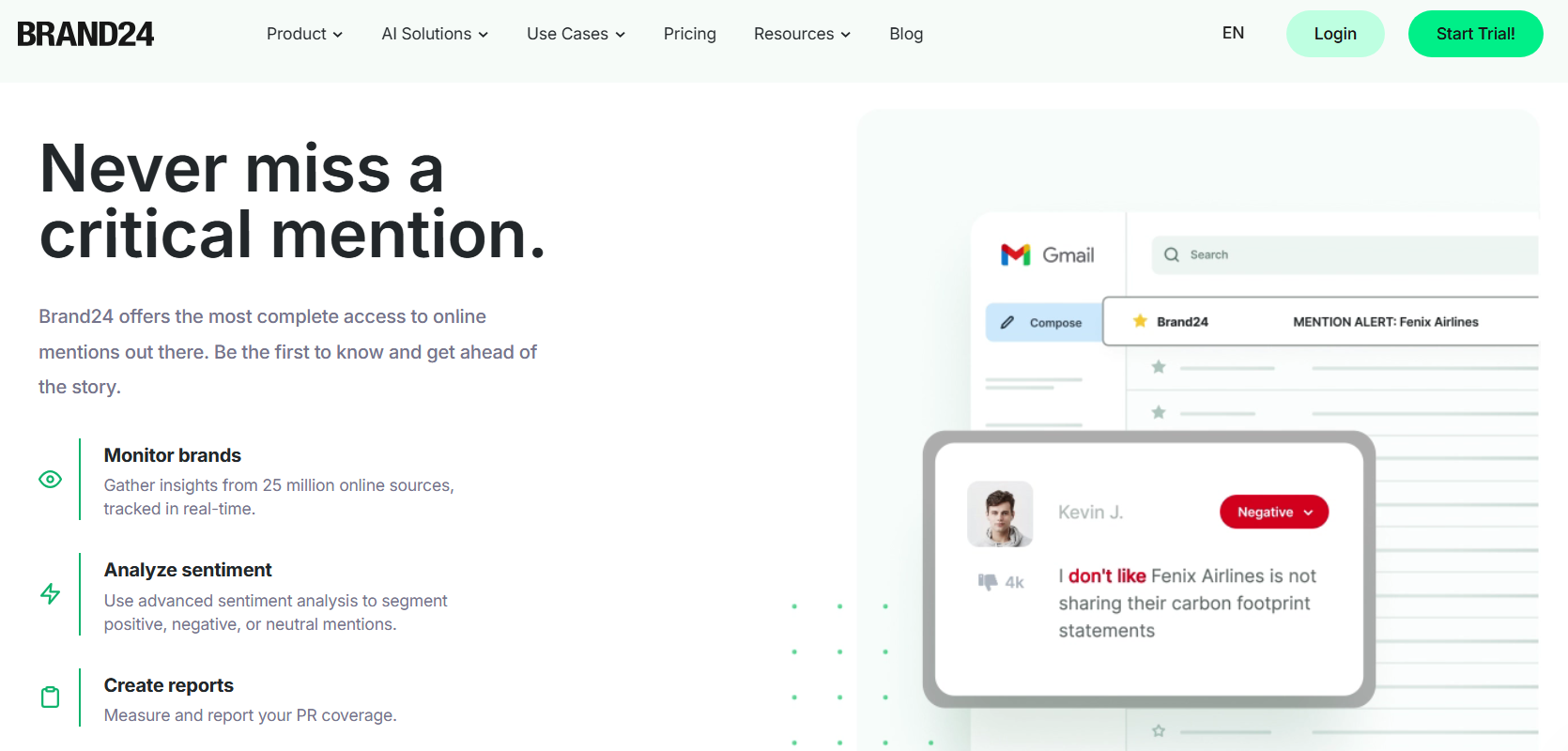
Brand24 is a social listening platform whose LinkedIn integration covers the authorized organization page, comments under those mentions and content that tags or mentions your organization, priced from $249/month, or $199/month on annual billing.
| Buying detail | Verified position |
|---|---|
| Entry price | $249/month, or $199/month annually |
| Free access | 14-day trial, no ongoing free plan |
| LinkedIn update cadence | Individual every 12 hours, Team hourly, Pro real-time |
| Documented LinkedIn history | Not published for the LinkedIn source |
| Access-risk position | Lower, within the authorized connection |
LinkedIn Coverage and Data Method
Brand24's help center documents the organization integration precisely: content from the LinkedIn organization profile you authorize, comments under those mentions when enabled, and mentions that tag or mention your organization. Completing it requires the relevant LinkedIn superadministrator rights.
Core Strengths
The documentation is the product advantage here. Published prices run Individual $249, Team $349, Pro $499 and Business $699 per month, or $199, $299, $399 and $599 as monthly equivalents on annual billing, with web, news, forum, podcast and newsletter sources around the LinkedIn piece.
Where It Falls Short
You cannot monitor a competitor's page through this route, because you cannot hold superadministrator rights on it. The non-obvious operational catch: authorization happens at account level, but the LinkedIn source must then be added separately to each project. Connect once, forget that step, and a client project silently collects nothing from LinkedIn.
Sentiment and Buyer Signals
Sentiment and advanced filters let you prioritize what surfaces, and the AI event detection is useful for explaining volume spikes. Treat the presence of an AI sentiment model as a workflow feature, not as evidence of LinkedIn-specific accuracy.
Pricing and Alert Cadence
Cadence is the tier decision, not the plan name. Individual refreshes every 12 hours, which is unusable for crisis work, Team moves to hourly, and real-time arrives at Pro.
Ideal Fit
In-house B2B teams that run their own LinkedIn page and want a defined, auditable integration with published pricing. Agencies should budget onboarding time per client for the admin-rights and per-project source steps.
3. SentiOne: Best for European and Service-Oriented Teams

SentiOne is a European social listening and conversational AI platform that collects LinkedIn data from authorized LinkedIn accounts, including advertising content and dark posts, with published packages from $199/month.
| Buying detail | Verified position |
|---|---|
| Entry price | From $199/month |
| Free access | Demo, confirm trial scope |
| LinkedIn update cadence | Varies by package, real-time included on higher packages |
| Documented LinkedIn history | Longer history on higher packages, confirm in the current package list |
| Access-risk position | Lower, within authorized accounts |
LinkedIn Coverage and Data Method
SentiOne documents LinkedIn account authorization, and its release history documents advertising-content collection from authorized profiles, including dark posts. That ad and dark-post layer is a genuine capability gap-filler, because sponsored content comments rarely appear on a page timeline at all.
Core Strengths
Published packages run from $199 per month, with mid-tier packages at $399, Business at $849 and Enterprise from $1,180. The platform pairs listening with response and conversational AI workflows, which suits teams where a LinkedIn comment is a service ticket rather than a marketing datapoint.
Where It Falls Short
Authorized-profile coverage is not a network-wide keyword feed, and entry packages are tightly constrained on projects, users and update frequency. There is also a documentation trap specific to this vendor: its June 18, 2026 changelog records new packages replacing the older plan structure, so any review still quoting a "Team plan" is describing a product you cannot buy.
Sentiment and Buyer Signals
Anomaly detection flags unusual spikes, and the multilingual engine is the reason most buyers shortlist it. If you operate across Central and Eastern Europe, compare it against other multilingual monitoring options on your own mentions in your own languages rather than on a vendor language count.
Pricing and Alert Cadence
Real-time collection sits on higher packages, so confirm cadence against the exact package quoted. The April 23, 2026 API update added a context object that includes parent content where available, which can cut reconstruction work for integrations.
Ideal Fit
European enterprises, banks and service teams that want listening, ad-comment monitoring and response automation under one contract. Test parent-context availability on real LinkedIn examples before you promise context-aware automation, because "where available" is a meaningful boundary.
4. Sprout Social: Best for Social Operations Teams
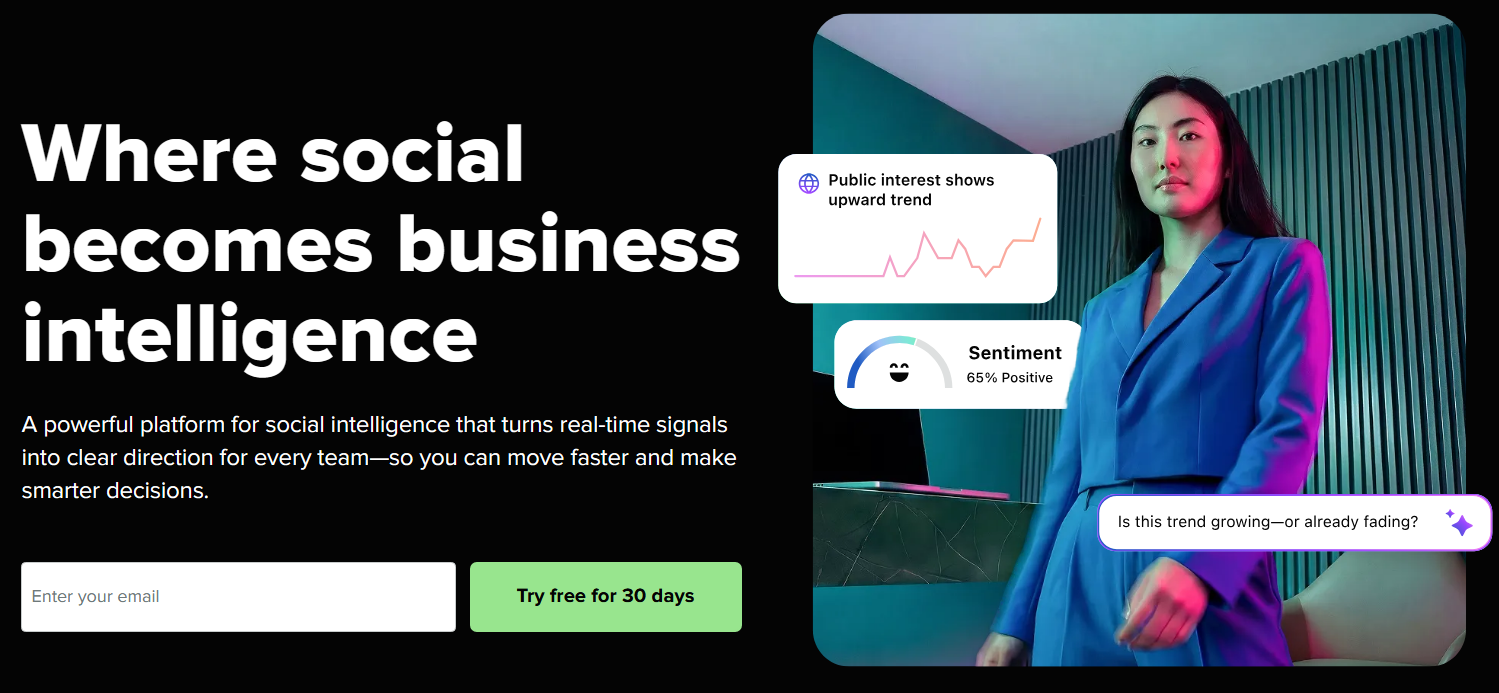
Sprout Social is a social media management suite whose LinkedIn listening is limited to mentions and comments on the business profiles you connect, refreshed every 24 hours, with Listening sold on top of Standard seats at $199/seat/month on annual billing.
| Buying detail | Verified position |
|---|---|
| Entry price | Standard $199/seat/month on annual billing, plus Listening |
| Free access | 30-day platform trial, confirm Listening entitlement |
| LinkedIn update cadence | Every 24 hours |
| Documented LinkedIn history | 30 days automatic, up to 60 days manual backfill |
| Access-risk position | Lower, within connected pages |
LinkedIn Coverage and Data Method
Sprout states it plainly: you can listen only to LinkedIn pages you own, and querying the whole network is a network API limitation. Message types are mentions associated with connected pages and comments on those messages. That candor earns full provenance marks.
Core Strengths
The consolidated inbox, routing, approvals and permissions model is the best operating layer in this group. When a LinkedIn comment needs an owner, a deadline and an audit trail, this is the product that gives it one. Seat prices on annual billing are Standard $199, Professional $299 and Advanced $399, with Listening available on Standard and above.
Where It Falls Short
The 24-hour LinkedIn refresh is among the slowest documented cadences in this comparison, and a page incident that starts after the daily pull will not appear in Listening until the next cycle. Do not let a real-time inbox notification convince you otherwise, because inbox speed and listening ingestion speed are different clocks. Listening is also a quoted add-on on top of seat fees, which makes total cost the least comparable in the group.
Sentiment and Buyer Signals
Listening includes sentiment and spike alerts. The non-obvious limitation: mentions and the comments on those mentions do not appear as connected threads in the listening message layer, so a reply read in isolation can invert its own meaning. Require reviewers to open the original conversation before escalating anything ambiguous.
Pricing and Alert Cadence
Essentials is not a valid listening entry price, because Listening starts at Standard. Price three seats plus the add-on before comparing it with a $249 platform.
Ideal Fit
Mid-size and enterprise social teams already publishing and engaging in Sprout who want owned-page LinkedIn data in the same reporting and permissions layer. Poor fit for crisis-speed LinkedIn monitoring on its own.
5. Brandwatch: Best for Enterprise Research
Brandwatch is an enterprise consumer intelligence platform that collects authenticated LinkedIn company-page content plus, since its April 2026 update, eligible brand tags on owned and non-owned pages, refreshed every 2 hours and sold on a custom quote.
| Buying detail | Verified position |
|---|---|
| Entry price | Custom quote |
| Free access | Demo, no ongoing LinkedIn free tier |
| LinkedIn update cadence | Every 2 hours |
| Documented LinkedIn history | 200 posts within 1 year |
| Access-risk position | Lower, within authorized pages and eligible tags |
LinkedIn Coverage and Data Method
Brandwatch, part of Cision since 2021, documents authenticated company-page collection, and its April 2026 product update added LinkedIn brand-tag tracking across owned and non-owned pages. Anyone still describing Brandwatch as owned-posts-only is working from a stale product.
Core Strengths
Custom classifiers, a serious query language and long archives on other sources make it the research-grade option here. Its documented 2-hour LinkedIn refresh is substantially faster than Sprout's 24-hour interval, which can matter materially for issue detection.
Where It Falls Short
Two restrictions deserve to be in your contract review. Brandwatch's developer documentation states that LinkedIn post and comment downloads via the API carry no snippet or full-text data, which can void a planned custom NLP or warehouse workflow. Owned LinkedIn ingestion can also arrive regardless of the saved search's query string, with a post-ingestion keyword filter capped at 600 characters as the documented workaround. Version those filters alongside your reports, or an analyst will read a filtering change as a change in the conversation.
Sentiment and Buyer Signals
Comment sentiment and volume alerts on owned LinkedIn data support reputation research well. They do not constitute prospect discovery, and the 200-post ceiling within a year limits retrospective LinkedIn analysis.
Pricing and Alert Cadence
No public rate card exists, and I am not going to publish a sampled contract median as if it were a vendor minimum. Demand a quote that itemizes the LinkedIn source, history, seats and export rights separately.
Ideal Fit
Insight and research teams with analyst capacity and governance requirements, where LinkedIn is one input into a wider market question.
6. Meltwater: Best for Integrated Communications
Meltwater is a media intelligence suite with no LinkedIn listening connection: pages you manage connect under Owned, while Explore receives a sampled, anonymized set of LinkedIn content reshared onto other networks with 15 months of rolling history, sold on a custom quote.
| Buying detail | Verified position |
|---|---|
| Entry price | Custom quote |
| Free access | Demo, confirm evaluation access |
| LinkedIn update cadence | Not published for the sampled stream |
| Documented LinkedIn history | 15 months rolling in Explore |
| Access-risk position | Lower, route dependent |
LinkedIn Coverage and Data Method
This is the most misdescribed product in the category, and Meltwater's own connection guide is clearer than most reviews of it. There is no LinkedIn listening connection. Explore receives a sampled, anonymized set of LinkedIn content reshared onto other networks, with 15 months of rolling history, while the pages you manage connect under Owned.
Core Strengths
Nothing here matches Meltwater for tying a LinkedIn executive post to the trade coverage, broadcast segment and podcast mention it triggered. For a comms team measuring reputation rather than channel performance, that lineage is the product.
Where It Falls Short
Sampling and anonymization are not footnotes. A sampled, reshared stream carries a selection effect, so use it to study amplification and stop short of estimating total LinkedIn conversation from it. Anonymization also rules it out as an identity-level prospect feed.
Sentiment and Buyer Signals
Sentiment and competitor research in Explore work well across news and social sources. I would not buy its LinkedIn stream primarily to find individual buyers.
Pricing and Alert Cadence
Quote only, annual, and sold as packages. Ask for Explore, owned-channel functionality, reporting and integrations priced as separate lines so you can see what the LinkedIn component actually costs you.
Ideal Fit
Corporate communications and PR teams whose LinkedIn question is really a reputation question. Oversized for a team that just wants to know who mentioned the company this week.
7. OutX: Deep LinkedIn Capture, High Account Exposure
OutX is a LinkedIn-first monitoring and prospecting tool that collects through a browser extension running on your own logged-in account, with an ongoing free plan, Growth at $99/month, and collection intervals of 24, 12 and 6 hours by plan.
| Buying detail | Verified position |
|---|---|
| Entry price | Free, Growth $99/month |
| Free access | Ongoing free plan with 2 private watchlists |
| LinkedIn update cadence | Growth 24 hours, Expert 12 hours, Ultimate 6 hours |
| Documented LinkedIn history | Not independently established |
| Access-risk position | Higher, browser-session dependent |
LinkedIn Coverage and Data Method
OutX documents browser-extension-dependent workflows for monitoring, enrichment and engagement, and its integration guide describes its LinkedIn Data API as a proxy. It sees keyword matches, competitor post activity and profile changes that no authorized integration can return, because it reads what your logged-in account loads.
Core Strengths
For a founder or an SDR running LinkedIn-first prospecting, signal density is the highest in this comparison, and watchlists route straight into Slack, CRM and engagement actions. Published prices are Growth $99, Expert $249 and Ultimate $999 per month, with a genuine ongoing free plan rather than a trial.
Where It Falls Short
LinkedIn's User Agreement addresses scrapers, plugins and automated engagement, and enforcement lands on the member account, not the vendor. There is also a procurement misunderstanding worth avoiding: an API integration does not remove the browser dependency, since its own n8n guide still requires an installed, active extension. Beyond account risk, you become responsible for personal data collected from members who never encountered your tool, which is a data-protection question for your legal team, not a feature question.
Sentiment and Buyer Signals
Intent labels and relevance scoring are the point of the product, and they are built for sales rather than brand health. No comparable LinkedIn sentiment benchmark exists to validate the labels, so qualify manually before routing to a rep.
Pricing and Alert Cadence
Read the published freshness, not the marketing. Collection runs on 24-hour, 12-hour and 6-hour intervals by plan, which is not the same thing as real time.
Ideal Fit
Individuals and small sales teams who personally accept the account exposure. One correction to the usual write-up of this tool: its documentation also covers Reddit keyword tracking with roughly 12-hour fetching, so the common "LinkedIn-only" label is wrong. It is still not a web-wide platform, and buyers who care about candid B2B discussion should compare dedicated Reddit listening tools before assuming coverage.
8. Talkwalker: Best for Dashboard-Centric Enterprise Analysis
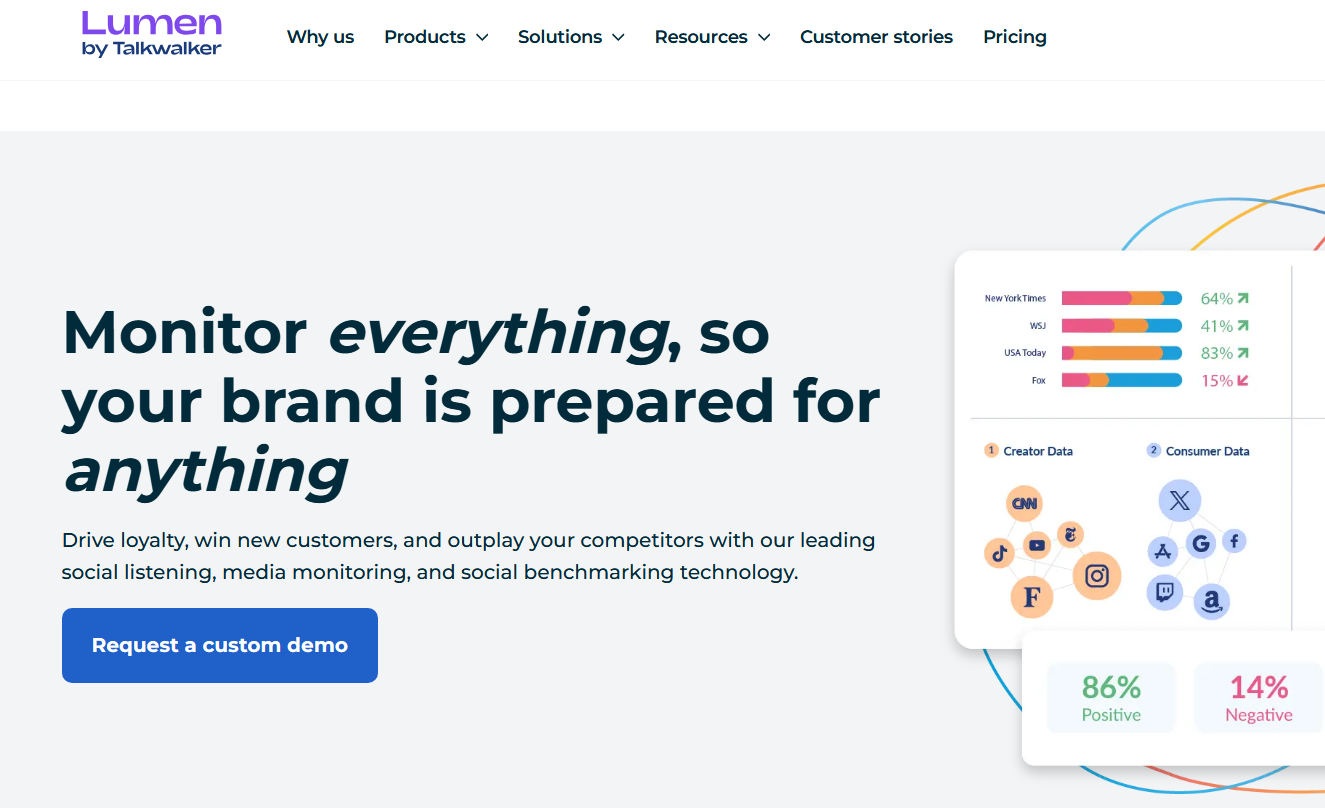
Talkwalker (now known as Lumen by Talkwalker) is an enterprise listening and analytics platform whose official LinkedIn add-on covers posts and comments on your own page plus advertising KPIs, excludes LinkedIn data from API exports, and is sold on a custom platform quote.
| Buying detail | Verified position |
|---|---|
| Entry price | Custom platform quote |
| Free access | No ongoing LinkedIn listening tier |
| LinkedIn update cadence | Not published for LinkedIn |
| Documented LinkedIn history | Not published for LinkedIn |
| Access-risk position | Lower for authorized scope, with export restriction |
LinkedIn Coverage and Data Method
The official LinkedIn add-on covers posts and comments on your own page plus advertising KPIs. Talkwalker became part of Hootsuite in 2024, so confirm in the demo which interface your team will actually work in.
Core Strengths
Media coverage is genuinely broad, spanning broadcast, print, social and podcasts, and platform-wide visual recognition can surface a logo that no text mention would catch. Crisis detection and anomaly scoring are mature.
Where It Falls Short
Its developer documentation explicitly excludes LinkedIn data from API exports. If your architecture plan is "pipe everything into the warehouse and model it," that single line can invalidate the purchase, and it is the kind of restriction that never appears in a feature matrix. Platform-wide visual recognition also does not prove collection and analysis of arbitrary LinkedIn images or video, so do not transfer a capability across sources without asking.
Sentiment and Buyer Signals
Sentiment, filtering and dashboards are strong across sources. Insist that the demonstration shows your required LinkedIn output, not a sentiment dashboard populated by another network.
Pricing and Alert Cadence
Quote only, and a free add-on listing tells you nothing about the cost of the underlying platform. No LinkedIn-specific refresh interval is published, which is why it scores lowest on speed and history here.
Ideal Fit
Global brands whose analysts live inside supported dashboards and whose LinkedIn requirement is one line in a cross-platform program. Validate data portability before you fund custom BI work.
9. CommunityTracker: Best for a Low-Cost Community Pilot
CommunityTracker is a low-cost community monitoring tool that advertises LinkedIn access from its $39/month Starter plan with daily alerts, without publishing a LinkedIn collection route clear enough to classify as authorized access.
| Buying detail | Verified position |
|---|---|
| Entry price | Starter $39/month |
| Free access | Free plan, 1 Reddit keyword, no LinkedIn |
| LinkedIn update cadence | Daily alerts on Starter |
| Documented LinkedIn history | Not published |
| Access-risk position | Unresolved |
LinkedIn Coverage and Data Method
Starter advertises LinkedIn access, and the published material does not explain the LinkedIn collection route well enough to classify it as authorized access. Unresolved is not the same as risky, but it is also not the same as safe, and a vendor's outbound API explains how you retrieve results rather than how it acquired them.
Core Strengths
Published plans are clear and cheap: Starter $39 with 4 keywords and 5,000 mentions, Pro $99, Advanced $199. Share of Voice appears on Pro and Advanced, API access starts at Pro with 1,000 calls per day, and intent scoring plus enrichment compresses a manual research workflow.
Where It Falls Short
The free plan covers one Reddit keyword only, so you cannot validate LinkedIn coverage before paying. It is also not a brand-monitoring platform in the traditional sense, with limited reporting depth for PR or competitive benchmarking.
Sentiment and Buyer Signals
Buyer scoring is the headline capability. Do not equate an intent score with validated sentiment analysis or with sales qualification, because neither is established in public documentation.
Pricing and Alert Cadence
Starter sends daily alerts, which rules it out for incident response. Price Pro if you need share of voice or API access.
Ideal Fit
Founder-led go-to-market teams running a bounded, time-boxed experiment on community signals. Get the LinkedIn sourcing explained in writing before you put it into production.
10. Mention: No Longer a LinkedIn-First Purchase
Mention (acquired in 2025 by Agorapulse) is a web and social monitoring product whose LinkedIn source has been unavailable to new users since May 26, 2025, and which stopped being sold as a standalone product on July 1, 2026, with new purchasing directed to Agorapulse Listening.
| Buying detail | Verified position |
|---|---|
| Entry price | Not sold standalone since July 1, 2026 |
| Free access | Legacy customers retain existing plans |
| LinkedIn update cadence | Legacy source only |
| Documented LinkedIn history | No historical backfill on the legacy LinkedIn source |
| Access-risk position | Not assessable for new buyers |
LinkedIn Coverage and Data Method
Two documented changes decide this one. Mention's help center states the LinkedIn source has been unavailable to new users since May 26, 2025, and separately that Mention stopped being sold as a standalone product on July 1, 2026, with new purchasing directed to Agorapulse Listening. Existing customers keep their plans.
Core Strengths
It remains a capable, clean web and social monitoring product with well-built alerting and published sentiment figures, which is more disclosure than most competitors offer. For legacy holders, the LinkedIn source still works.
Where It Falls Short
The legacy source was already narrow: company pages only, not profiles, no historical backfill, a maximum of 80 monitored pages per alert, and a LinkedIn quota metered separately from other monitored pages. That separate quota is the tell. LinkedIn access is expensive enough for vendors that it gets rationed, which is why features like this get withdrawn rather than expanded. Publishing and response modules have also been progressively deprecated in favor of Agorapulse, so audit modules separately.
Sentiment and Buyer Signals
Sentiment, comparative reporting and share of voice exist for the monitoring product. None of that proves the LinkedIn source you need is purchasable today.
Pricing and Alert Cadence
Any review quoting a current Mention plan as a new-buyer LinkedIn option is out of date. Ask for a current Agorapulse Listening proposal and verify LinkedIn scope in writing.
Ideal Fit
Legacy Mention customers who already hold the LinkedIn add-on. New buyers with a LinkedIn requirement should look elsewhere, and should read this as the clearest available lesson in continuity risk.
Tools Considered but Not Ranked
Six products come up constantly in "LinkedIn monitoring tool" and "social listening LinkedIn" comparisons without appearing in the scorecard above. Here is each one, why it is not ranked under this rubric, and which of the four access routes you should pin down first. Exclusion here is a documentation and scope decision, not a judgment of product quality.
| Tool | Why it is not ranked here | Route question to settle first |
|---|---|---|
| Octolens | Named in competing LinkedIn listening roundups, but its LinkedIn collection route and authorization basis were not sourced to primary vendor documentation at review time, so it cannot be scored on provenance | Is this authorized owned-page data, public-content discovery, or browser-session collection? |
| Oktopost | A B2B social media management suite rather than a LinkedIn listening dataset, so the scorecard criteria for coverage, cadence and LinkedIn export rights do not map cleanly | Which LinkedIn content enters the platform beyond the pages you connect and administer? |
| Hootsuite / Hootsuite Insights | Covered indirectly: Talkwalker became part of Hootsuite in 2024, so the LinkedIn questions in the Talkwalker review - add-on scope and the API export exclusion - are the ones to ask, and a separate score would double-count the same vendor group | Which interface and which LinkedIn add-on scope are actually in the quote? |
| Mentionlytics | Not scored because no primary documentation of its LinkedIn route, refresh cadence or history ceiling was available to grade against the rubric's coverage and speed criteria | Authorized page connection, or public-content discovery, and what is excluded? |
| Awario | Same reason: a widely compared social listening tool whose LinkedIn-specific scope, cadence and export position could not be sourced to primary documentation at review time | Which LinkedIn content types are in scope, and is authentication involved anywhere in collection? |
| Agorapulse Listening | Appears as a destination rather than an independently documented LinkedIn dataset: Mention stopped being sold standalone on July 1, 2026, with new purchasing directed to Agorapulse Listening | Ask for LinkedIn scope in writing on the current proposal, exactly as advised in the Mention review |
If you arrived here comparing a specific pair - Brand24 vs. Octolens, Oktopost vs. Sprout Social, Awario vs. Mentionlytics, Hootsuite vs. Talkwalker - run both sides through the same two questions before you compare screenshots: which of the four routes does each one use, and what does its own documentation say it cannot see? A tool that answers both in writing belongs on your shortlist. One that answers neither belongs in a pilot at most.
Head-to-Head: The Comparisons Buyers Actually Make
Brand24 vs. BrandMentions: the core difference is route, not quality. Brand24 gives you a documented authorized path into a page you administer, with admin rights and per-project setup as the cost of entry. BrandMentions gives you public LinkedIn posts, articles and comments without administering anything, plus the off-platform life of that conversation, at a $79 to $99 entry against $199 to $249. Choose Brand24 if the question is "what is happening on our page." Choose BrandMentions if the question is "where is this being discussed, including LinkedIn."
Sprout Social vs. Brandwatch: operations versus research. Sprout wins on routing, approvals and ownership of a live comment, and loses on a documented 24-hour LinkedIn refresh. Brandwatch wins on a 2-hour refresh, brand-tag coverage across non-owned pages and custom classifiers, and loses on a 200-post history cap and stripped LinkedIn text in API downloads.
Brandwatch vs. Meltwater vs. Talkwalker: the LinkedIn datasets are not interchangeable. Brandwatch collects authorized pages plus eligible tags. Meltwater separates owned-page connections from a sampled, anonymized reshared stream. Talkwalker covers own-page posts, comments and ad KPIs but blocks LinkedIn from API export. Compare their cadence, history and export lines side by side in the canonical table, because treating all three as "enterprise LinkedIn coverage" is how procurement teams buy the wrong one.
OutX vs. everything compliant: visibility versus exposure. OutX sees more of LinkedIn and little outside it. Authorized and public-content tools see less of LinkedIn and far more of everything else. This is a risk-tolerance decision, not a feature decision, and splitting the difference with a disposable account still puts a real person's account inside prohibited behavior.
Ranked tools vs. the unranked alternatives. If your shortlist includes Octolens, Oktopost, Mentionlytics, Awario, Hootsuite Insights or Agorapulse Listening, compare them against the ranked set on route and documentation first, using Tools Considered but Not Ranked. A product that publishes its LinkedIn scope, cadence and export limits is comparable; one that publishes none of them is a pilot, not a purchase.
Which LinkedIn Content Types Are Covered? The Matrix Nobody Publishes
"LinkedIn coverage" is not one thing, and a founder-led thought-leadership program lives or dies on the distinction between a page and a person. Very few vendors publish a content-type breakdown, so take this list into the demo and make them answer it source by source, in writing.
| Content type | What is documented today | What to demand in writing |
|---|---|---|
| Company page posts | Covered by every authorized integration reviewed here | Nested reply depth and comment limits |
| Comments on your posts | Covered, often as an option you must enable | Whether comments are threaded to the parent in the data model |
| Executive and member profiles | Mention's monitored pages feature excludes LinkedIn profiles | Whether individual profile posts are in scope at all, and under what route |
| Posts tagging your page from non-owned pages | Brandwatch added this in April 2026 | Whether plain-text untagged references are included |
| Sponsored content and dark posts | SentiOne documents advertising-content collection from authorized profiles | Comment visibility on ads that never hit the page timeline |
| Newsletters and long-form articles | BrandMentions lists public LinkedIn articles | Whether article bodies are indexed or only headlines |
| Documents, images and video | No vendor reviewed here documents LinkedIn multimedia analysis specifically | Whether platform-wide visual recognition applies to LinkedIn at all |
That last row is the one I would press hardest. A platform-wide capability is not a source-specific capability, and vendors rarely volunteer the difference.
How Much Does LinkedIn Social Listening Cost? Normalizing Cost on One Workload
Feature tables hide money. So define one workload and price it identically across vendors. Mine: one brand plus three competitors, five keywords, one authorized company page, three seats, alerts at hourly or better, twelve-month commitment.
| Tool | Plan needed for hourly-or-better LinkedIn alerts | Published monthly cost at annual billing | Unpriced items to resolve in the quote |
|---|---|---|---|
| BrandMentions | Pro | $249 | Historical window, seat count beyond plan limits |
| Brand24 | Team (hourly) or Pro (real-time) | $299 or $399 | Which plan includes the LinkedIn source |
| SentiOne | Mid-tier or higher | From $399 | Projects, languages, AI credit consumption |
| Sprout Social | Standard, 3 seats, plus Listening | $597 plus Listening quote | Listening add-on price, LinkedIn entitlement |
| OutX | Expert (12-hour freshness) | $249 | Risk acceptance, no off-platform coverage |
| CommunityTracker | Pro (share of voice, API) | $99 | LinkedIn sourcing, alert cadence above daily |
| Brandwatch, Meltwater, Talkwalker | Custom | Quote required | LinkedIn source line item, history, export rights, seats |
Two honest caveats. Brand24's LinkedIn entitlement by plan is not resolvable from its public pricing table, so confirm it before signing. And nobody publishes a vendor rate card for the three enterprise suites, so any article quoting a precise enterprise starting price is reporting sampled third-party contracts, not a price you are guaranteed.
Then divide by qualified signals, not by mentions. A $99 plan that produces three usable conversations a month is more expensive per decision than a $399 plan that produces forty. Teams on tight budgets should still test free listening options first, with the understanding that free tiers almost never include a LinkedIn source at all.
The Security Review Nobody Runs: 8 Questions for Procurement
Compliance talk in this category stops at scraping. Your security team will not. Run this before procurement, because none of it appears in a feature comparison.
| Question | Why it decides the purchase |
|---|---|
| Who are the subprocessors for collection, enrichment and AI inference? | A compliant front end can sit on a third-party data source you never approved |
| What permissions does the browser extension request, and on which domains? | Extension scope often exceeds the advertised feature |
| Where does mention data live, and which region processes it? | Determines your transfer and residency posture |
| Does deletion propagate to derived data, embeddings and backups? | A deletion request that stops at the UI is not a deletion |
| Is your mention data used to train vendor or third-party models? | Changes the confidentiality analysis for competitive research |
| What contractual indemnity covers platform enforcement or a takedown? | Tells you who absorbs the consequences of the collection method |
| What access tiers exist for multi-client or multi-brand setups? | Agencies need per-client isolation, not shared projects |
| How are LinkedIn authorizations monitored, and who is notified when one breaks? | Ties directly back to silent collection gaps |
Get these in the contract, not the sales call. A vendor that answers all eight precisely is telling you something real about how it operates.
Run This Acceptance Test Before You Buy
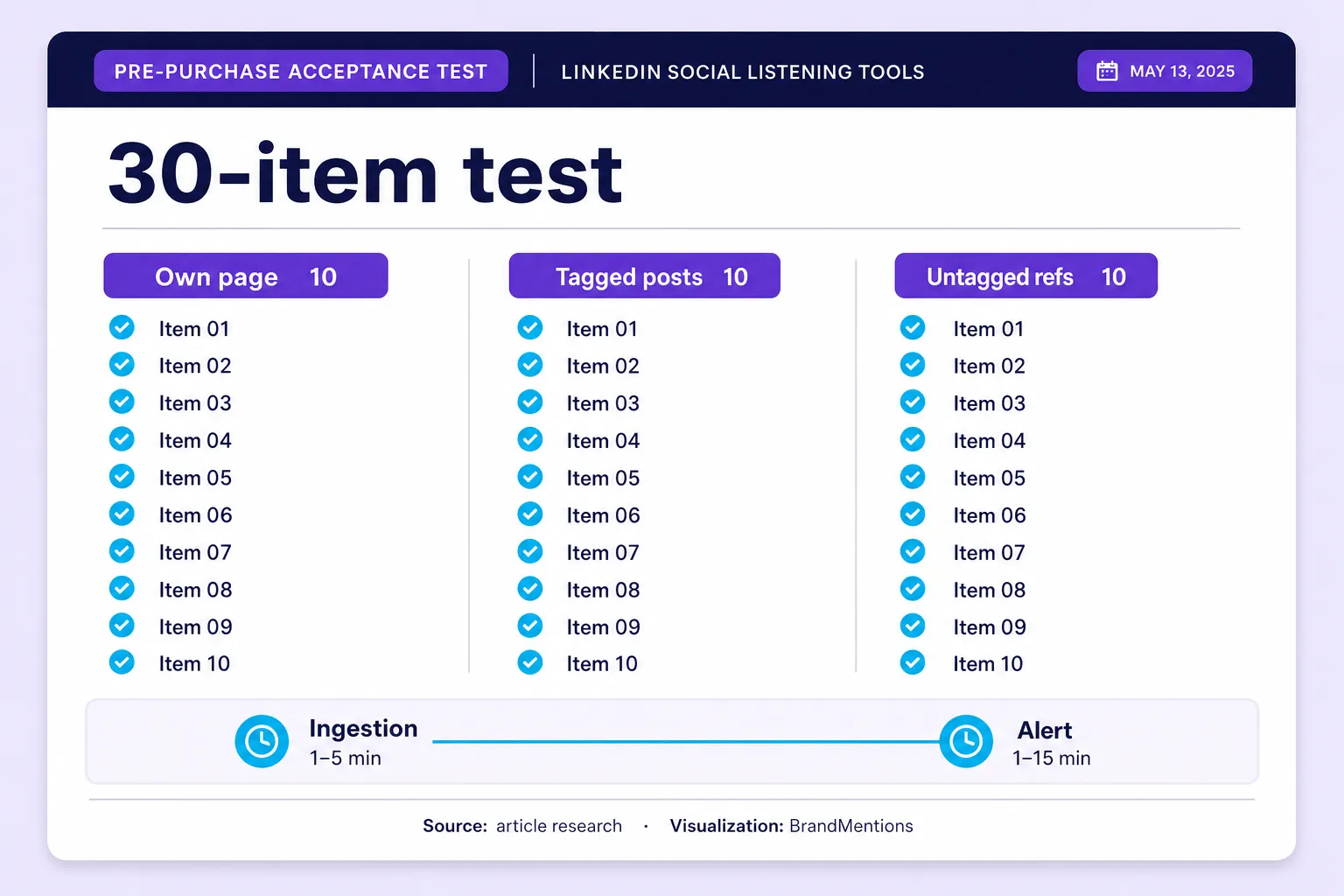
Build a 30-item known-set test. It is not an accuracy benchmark, and calling it one would be dishonest, but it is the only cheap way to see what you are actually buying.
| Test group | Items | What it proves |
|---|---|---|
| Your own page posts and comments | 10 | Connected-source coverage works end to end |
| External posts that explicitly tag your page | 10 | Eligible external-mention coverage exists |
| Untagged public references to your brand | 10 | Whether broader discovery is real or marketing |
Record the original URL, publication time, first appearance in the tool, and the moment the alert arrived. Report a known-set capture rate, never network-wide recall.
The Alert Clock Split: measure publication-to-ingestion separately from ingestion-to-notification.
A fast email cannot rescue a slow collection schedule. That is why the documented collection intervals in the canonical cadence, history and export table matter more than any vendor's real-time badge. Test the plan you intend to buy, not the demo environment.
For sentiment, have a reviewer label a sample before they see any prediction, then compare. Evaluate sentiment analysis tools on your languages, your product names and your conversation types, because a professionally toned LinkedIn comment is a much harder classification problem than a product review, and a published accuracy figure from another dataset tells you nothing about your own.
Approve the purchase because your test results matched what the vendor said they would be, not because the demo found impressive posts. Any tool can find three good mentions in a demo.
Use-Case Picks: Best LinkedIn Social Listening Tool for Each Job
By requirement
- Best for a documented, authorized LinkedIn integration: Brand24. Its help center spells out the authorization route, the admin rights required and the exact content in scope, which is rarer than it should be.
- Best for cross-channel public monitoring at a published price: BrandMentions. Its documented LinkedIn scope extends beyond owned pages without touching a logged-in member session, and unlike many enterprise alternatives, its pricing is public.
- Best for European and multi-language service teams: SentiOne. Authorized LinkedIn accounts plus documented advertising and dark-post collection, with published package prices.
- Best for social operations teams: Sprout Social. Listening sits beside publishing, routing and approvals, and its documentation is the most candid about LinkedIn's ceiling.
- Best for enterprise research: Brandwatch. Its April 2026 update added LinkedIn brand-tag tracking across owned and non-owned pages, which changes what research designs are possible.
- Best for integrated communications and PR measurement: Meltwater. Strong earned-media backbone, with a LinkedIn dataset you need to understand precisely before you design a report on it.
- Best for LinkedIn-first sales signals, risk accepted: OutX. Deepest LinkedIn-native capture in the group, delivered through a browser extension that runs on your own account.
- Best for dashboard-centric global brand analysis: Talkwalker. Broad media coverage including broadcast, print, social and podcasts, with one hard LinkedIn export restriction you must check first.
- Best for a low-cost community pilot: CommunityTracker. $39 per month buys a bounded experiment, as long as you treat its LinkedIn sourcing as an open question.
- Not currently a LinkedIn-first purchase: Mention. Its LinkedIn source closed to new users on May 26, 2025, and the product stopped being sold standalone on July 1, 2026.
By team and budget
PR and communications. Meltwater if the budget exists and media lineage is the deliverable, with Explore's sampling understood before anyone builds a report on it. BrandMentions below enterprise budget, because news, blogs and forums are core sources rather than add-ons and per-mention sentiment is editable when a nuanced situation defeats the model.
B2B sales and founder-led growth. Track competitor and category conversation rather than brand tags, because the buying signal sits under someone else's post. OutX only where an individual personally accepts the account exposure. Never put a whole SDR team on an extension, because the downside is a team's worth of restricted accounts.
Agencies. Brand24 or BrandMentions on multi-project tiers. Budget onboarding time for Brand24's superadministrator and per-project source steps, which recur with every client. Configure per-client alert cadence deliberately, and never promise response times your plan's collection interval cannot support.
Enterprise. Sprout Social when LinkedIn is managed inside the same suite as publishing and approvals. Brandwatch for research with governance. Talkwalker only after you have confirmed its LinkedIn export restriction against your BI plans. None of them removes the access ceiling, so do not pay enterprise prices expecting network-wide LinkedIn data.
Small business and solo operators. Start with a trial, not a demo. BrandMentions' 7-day trial and Brand24's 14-day trial let you verify real LinkedIn output on your own brand name before committing, which is worth more than any ranking, including mine.
Final Decision Matrix
| Your non-negotiable requirement | Shortlist first | Condition of purchase |
|---|---|---|
| Public LinkedIn discoveries inside wider reputation monitoring | BrandMentions | Keep native LinkedIn counts separate from cross-channel totals |
| Ad and dark-post comment monitoring | SentiOne | Confirm which current package includes it |
| Operational ownership of LinkedIn comments | Sprout Social | Price Listening plus seats, accept the 24-hour refresh |
| Media lineage from LinkedIn to press | Meltwater | Understand Explore's sampling and anonymization first |
| LinkedIn-native keyword and profile capture | OutX | Accept the session exposure personally, in writing |
| Warehouse-first analytics | Brandwatch, Talkwalker | Test a real LinkedIn field-level export before signing |
| Cheapest bounded experiment | CommunityTracker | Get the LinkedIn collection route explained first |
Choose from the row that matches your requirement. Never let a higher total score override a capability you cannot operate without.
How LinkedIn Monitoring Tools Actually Collect Data (and Why None Covers All of LinkedIn)
No tool sells you a searchable copy of LinkedIn. LinkedIn's documented programmatic access covers authorized page management, analytics and engagement, not an unrestricted keyword feed across every public post and comment. Any product implying otherwise is collecting through a different route, and that route is the single most important thing you can learn before you pay.
LinkedIn's Community Management API documentation describes authorized page administration, analytics, engagement and specific member-related capabilities. It does not describe a public firehose or a keyword search across member posts. Access is granted per organization, after review, by someone with the right admin role on that page.
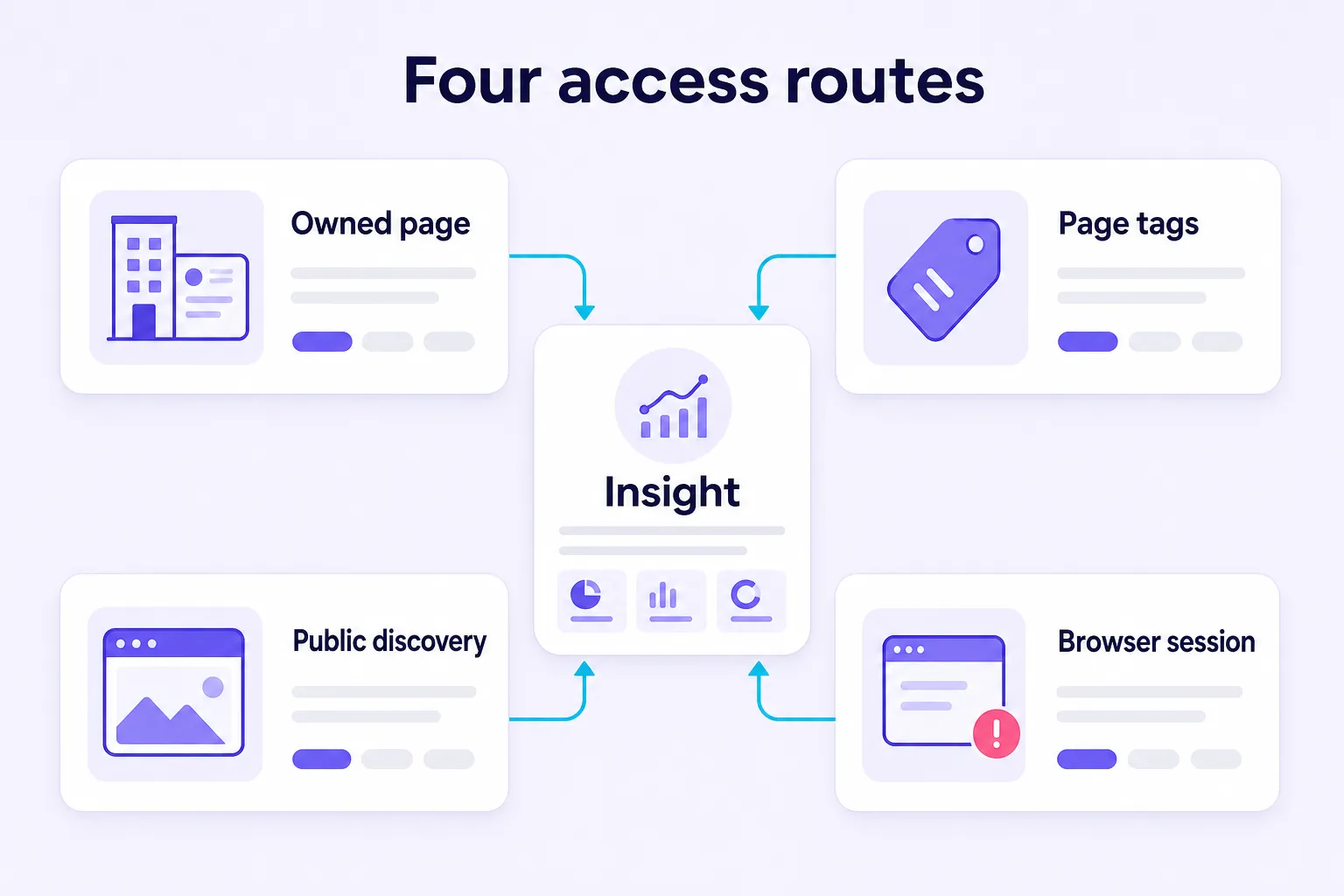
That is the mechanical reason every honest comparison in this category has to start with method. Four different coverage types get sold under one category name - authorized owned-page data, eligible external posts that tag your page, public-content discovery, and browser-session collection. They produce different mention counts, different risks and different legitimate uses, and comparing their volumes as if they were equivalent is the most common buying mistake in this category.
| Coverage type | What you should expect | What you must not assume |
|---|---|---|
| Connected company page | Eligible posts, comments, engagement and analytics on a page you authorize | Visibility into competitors' conversations |
| External page tags | Eligible external content that explicitly tags your connected organization | Every plain-text reference to your brand |
| Public-content discovery | Content the vendor's collection process can reach without authentication | Complete LinkedIn coverage |
| Browser-session collection | Content and actions reachable through a logged-in browser workflow | Platform authorization or unrestricted collection rights |
Sprout Social states the limit in its own support documentation: it can query only the comments and mentions associated with your connected business profiles, and calls this a network API limitation. Brand24's help center says the same thing in different words, adding that the integration needs LinkedIn superadministrator rights. Brandwatch's April 2026 release notes then complicate the tidy "owned pages only" story by adding brand-tag tracking across owned and non-owned pages.
The Permission-Scope Inversion: a tool can legitimately collect an external post because that post tags your page, without ever gaining permission to search external posts.
Put that sentence in your requirements document. It kills a whole class of vendor ambiguity, because it forces the question from "do you cover LinkedIn" to "which of these four routes am I buying, and in what combination."
If a vendor cannot tell you which LinkedIn content it should find, which it cannot find, and why, you are not evaluating a dataset. You are evaluating a dashboard.
How Do You Choose a LinkedIn Monitoring Tool? Five Steps
Work through five steps in this order. Each one points to the part of this article that does the work.
- Name the decision first. Owned-page comment governance, untagged brand discovery, ad and dark-post comments, and LinkedIn-native prospecting are four different purchases. Match them in the Final Decision Matrix.
- Identify the access route, not the feature list. Use the four-route table in How LinkedIn Monitoring Tools Actually Collect Data, and get the vendor's route in writing.
- Score the shortlist on documented evidence. Apply the seven-criterion rubric in How This Ranking Was Scored to your own weighting, then compare totals in the scorecard.
- Price one identical workload, not feature tables. Use How Much Does LinkedIn Social Listening Cost?, and check cadence against the canonical cadence, history and export table.
- Prove it before you pay. Run the 30-item known-set test in Run This Acceptance Test Before You Buy, on the plan you actually intend to buy.
Do those five in order and the shortlist usually collapses to two tools before anyone opens a demo calendar.
Can LinkedIn Listening Measure Share of Voice and Buyer Intent?
It can support both. It cannot repair a mismatched dataset, and this is where most LinkedIn reporting quietly breaks.
Before you build a competitor tracking report, check whether your brand and your competitors enter the dataset through the same route. If your side of the chart comes from authenticated page comments and theirs comes from occasional public discoveries, you have not measured the market. You have measured your own access advantage.
The Denominator Firewall: compute share of voice only inside one clearly defined, comparable collection universe.
Use this and show the working:
Observed share of voice = eligible brand mentions divided by eligible mentions across the selected brands, within matched sources, dates, languages and content types.
Call it observed LinkedIn share of voice until you can defend the broader denominator. That one word protects you in a board meeting far better than a confident round number.
Buyer intent needs a different discipline. The signal that matters for revenue lives in comments on competitor and category posts, not in tags of your own page, and owned-page access captures the latter while missing the former. There is also a classification trap worth naming: a negative comment about a competitor is a positive commercial signal for you, so polarity and usefulness are different labels. Teams that treat this as finding B2B leads through competitor dissatisfaction get more out of the same subscription than teams counting brand tags.
As for accuracy, I found no common, reproducible, LinkedIn-specific sentiment benchmark that would let anyone rank these ten products on it. BrandMentions publishes an above-90% figure from internal testing. Mention publishes an 82% figure in different reporting contexts. Those are not comparable results on a shared dataset, and printing them in one column would invite exactly the false comparison this article exists to stop.
What Actually Breaks a LinkedIn Integration After You Sign?
This section is missing from every roundup I have read, and it is where real money gets lost.
LinkedIn versions its Marketing APIs, and versions retire. The current community management documentation flags version 202510 reaching sunset on October 15, 2026. If your vendor pins an integration to a retiring version, your LinkedIn source degrades on a date that appears in nobody's renewal calendar.
Then there is the human layer. Authorization usually rides on one person's admin rights, so when that person leaves, changes role or loses superadministrator status, collection can stop without a loud failure. Tokens expire. Connections silently drop. Nobody notices until a monthly report comes back thin.
Ask three questions in the demo. Does the platform alert you when a LinkedIn connection breaks, and how fast? Who else holds the authorization if the original admin leaves? What can you recover for the window you missed? That last one is the brutal part, because recovery paths are narrow and documented - the per-vendor backfill and history ceilings sit in the canonical cadence, history and export table, and they are shorter than most buyers assume.
A broken LinkedIn connection is not just a ticket. It can create a hole in your historical record that may be only partially recoverable, depending on the vendor's documented backfill limits.
Frequently Asked Questions
Which social listening tool is best for LinkedIn?
BrandMentions scores highest at 31/35 for public LinkedIn discovery, covering posts, articles and comments inside broader cross-channel monitoring from $99 per month billed quarterly or $79 per month annually, Brand24 second with 30/35 for own data LinkedIn monitoring from $249 per month, and SentiOne third at 26/35 for European and service-oriented teams with authorized accounts plus advertising and dark-post collection from $199 per month. Pick by the decision you need to make, not by the total, using the Final Decision Matrix.
Can you do social listening on LinkedIn?
Yes, but only within one of four access routes: authorized owned-page data, eligible external posts that tag your connected organization, public-content discovery, or browser-session collection through a logged-in member account. No tool sells network-wide LinkedIn keyword search, so LinkedIn social listening is always partial coverage, set by the route you buy and the permissions your organization holds. Identify the route in writing before you compare mention counts between vendors.
Is there a LinkedIn social listening API?
There is no public LinkedIn listening or keyword-search API. LinkedIn's Community Management API documentation describes authorized page administration, analytics, engagement and specific member-related capabilities, not a public firehose or a keyword search across member posts. Access is granted per organization, after review, by someone with the right admin role on that page, and versions retire on published dates - the current community management documentation flags version 202510 reaching sunset on October 15, 2026. Vendor APIs sit downstream of that and carry their own limits: Brandwatch's API downloads of LinkedIn posts and comments contain no snippet or full-text data, and Talkwalker excludes LinkedIn data from API exports.
Can I track LinkedIn hashtags or keywords across the whole network?
No. Keyword, hashtag and mention tracking is bounded by whichever of four access routes you buy: authorized owned-page data, eligible external posts that tag your connected organization, public-content discovery, or browser-session collection through a logged-in member account. Authorized routes return content on pages you administer plus eligible tags, public-content discovery reaches only what a vendor can collect without authentication, and browser-session collection reads what your own logged-in account loads, which moves the platform-policy exposure onto that account. No evidence reviewed here establishes network-wide LinkedIn keyword retrieval by any vendor, so treat any "search all of LinkedIn" claim as a prompt to ask which route is actually being sold.
Can social listening tools track LinkedIn mentions that do not tag my company?
Not through an authorized page integration. That route returns content associated with pages you administer plus eligible mentions that tag your organization, and Brandwatch's April 2026 update extended eligible brand tags to non-owned pages. Untagged references reach a tool only through public-content discovery or through browser-session collection, and those two routes carry very different completeness and policy profiles. No evidence reviewed here establishes complete coverage of public LinkedIn mentions by any vendor.
Can you monitor a competitor's LinkedIn page with social listening tools?
Not through an authorized integration, because that route requires admin rights you cannot hold on a competitor's page - Brand24's integration needs LinkedIn superadministrator rights, and Sprout Social can query only the business profiles you connect. Competitor discussion reaches a tool either through public-content discovery, as with BrandMentions' documented scope of public LinkedIn posts, articles and comments, or through browser-session collection, as with OutX, which reads what your logged-in account loads and carries higher account exposure. Brandwatch's brand-tag tracking on non-owned pages covers tags of your own brand, not a competitor's page content. For revenue signals, the useful material sits in comments on competitor and category posts, which owned-page access cannot reach.
Does Brandwatch, Sprout Social or Brand24 track LinkedIn?
All three track LinkedIn through in-app integrations, but their scope and refresh cadence differ substantially. Brand24 covers the organization profile you authorize, comments under those mentions when enabled, and mentions that tag your organization, refreshing every 12 hours on Individual, hourly on Team and in real time on Pro. Sprout Social is limited to mentions and comments on connected business profiles, refreshed every 24 hours, with 30 days of automatic and up to 60 days of manual backfill. Brandwatch collects authenticated company-page content plus brand tags on owned and non-owned pages since April 2026, refreshes every 2 hours, caps LinkedIn history at 200 posts within one year, and ships no snippet or full-text data in API downloads of LinkedIn posts and comments.
What is the cheapest LinkedIn social listening tool?
CommunityTracker's Starter plan is the cheapest advertised LinkedIn option at $39 per month with 4 keywords, 5,000 mentions and daily alerts, but its LinkedIn collection route is unexplained and its free plan covers one Reddit keyword with no LinkedIn. OutX has a genuinely free ongoing plan with two private watchlists and Growth at $99 per month, at the cost of browser-session exposure on your own account. Among tools with no member session and published pricing, BrandMentions is the lowest entry at $99 per month billed quarterly or $79 per month annually, against Brand24 at $249 per month or $199 annually. Cheapest per subscription is not cheapest per decision, so divide by qualified signals rather than by mentions.
How often do LinkedIn listening tools refresh data?
Cadence varies by vendor and by tier, and it is the number that decides crisis usefulness. Brandwatch refreshes LinkedIn every 2 hours; Sprout Social every 24 hours, among the slowest documented intervals here; Brand24 runs every 12 hours on Individual, hourly on Team and real time on Pro; BrandMentions updates daily on Starter, hourly on Pro and in real time on Expert; OutX collects on 24, 12 and 6-hour intervals by plan; CommunityTracker sends daily alerts on Starter; SentiOne includes real time on higher packages. Meltwater publishes no cadence for its sampled stream, and Talkwalker publishes none for LinkedIn. Always measure publication-to-ingestion separately from ingestion-to-notification, because a fast email cannot rescue a slow collection schedule.
Is scraping LinkedIn for brand monitoring legal?
The Ninth Circuit held in April 2022 that scraping publicly available data likely does not violate the US Computer Fraud and Abuse Act, and the same case ended in a December 8, 2022 consent judgment with a permanent injunction on contract grounds. LinkedIn's User Agreement separately addresses scrapers, plugins and automated engagement, and enforcement lands on the member account running the tool. Data protection law adds obligations for the personal data you collect, so treat this as a legal review item rather than a settled yes or no.
Which LinkedIn listening tools have a permanent free plan?
OutX publishes an ongoing free plan with two private watchlists. CommunityTracker's free plan covers one Reddit keyword and does not include LinkedIn. Everything else in this comparison offers a trial or a demo, with BrandMentions at 7 days, Brand24 at 14 days and Sprout Social at 30 days for the core platform. A free tier does not remove the collection-method questions.
Why is Mention no longer a LinkedIn monitoring option?
Its help center documents two changes. The LinkedIn source became unavailable to new users on May 26, 2025, and Mention stopped being sold as a standalone product on July 1, 2026, with new purchasing directed to Agorapulse Listening. Existing customers retain their plans and legacy add-ons. That sequence is the sharpest available illustration of continuity risk in this category.
Why are Octolens, Oktopost, Hootsuite, Mentionlytics and Awario not ranked here?
This ranking scores only tools whose LinkedIn collection route, cadence and limits could be sourced to primary vendor or platform documentation at review time. Octolens, Oktopost, Mentionlytics, Awario and Agorapulse Listening are named in competing roundups but were not scored on that basis, and Hootsuite is covered through Talkwalker, which became part of Hootsuite in 2024. Exclusion is a documentation and scope decision, not a judgment of product quality - see Tools Considered but Not Ranked for the route question to ask about each one.
Key Takeaways
- Top three picks: BrandMentions at 31/35 for public LinkedIn discovery inside cross-channel monitoring from $99/month quarterly or $79/month annually, Brand24 at 30/35 for a documented page integration from $249/month, SentiOne at 26/35 for European service teams with ad and dark-post collection from $199/month.
- Four access routes, not one category: authorized owned-page data, eligible external posts that tag your page, public-content discovery, and browser-session collection. Identify the route before you compare mention counts.
- Refresh cadence decides crisis usefulness: documented LinkedIn intervals run from 2 hours at the fast end to 24 hours at the slow end, with tiered options in between. Check your intended plan in the canonical cadence, history and export table rather than trusting a real-time badge.
- History and export limits bite later: backfill windows, history ceilings, stripped LinkedIn text in API downloads and outright export exclusions differ sharply by vendor, and all of them sit in the same table. Read it before you fund any warehouse or BI work.
- Unranked does not mean unusable: Octolens, Oktopost, Hootsuite Insights, Mentionlytics, Awario and Agorapulse Listening sit in Tools Considered but Not Ranked because their LinkedIn route and limits were not sourceable to primary documentation under this rubric. Ask them the four-route question before shortlisting.
- Prove it before you pay: run the 30-item acceptance test - 10 own-page items, 10 external posts tagging your page, 10 untagged public references - and report a known-set capture rate, never network-wide recall.
Conclusion: Buy an Explainable Dataset
Every product in this article can draw a sentiment chart. Only some can tell you, in their own documentation, which LinkedIn content fed that chart, how it got there, how fast it arrives, how far back it goes and whether you are allowed to export it. That gap is the actual purchasing decision, and it is why I graded method before dashboards.
My stance after years of building in this category has not softened. Treat LinkedIn as a partially observable channel, buy a tool whose documented scope matches the decision you need to make, and stop paying enterprise prices for owned-page data a $199 subscription returns on a faster refresh cycle. If you want what sits behind the login wall, understand that you are renting it with somebody's account, and make that trade deliberately rather than accidentally.
The direction of travel is clear. Access has tightened, versions retire on published dates, sources get withdrawn from new buyers, and the vendors most exposed are the ones whose LinkedIn capture depends on permission LinkedIn never granted. So do the unglamorous thing this week. Shortlist two tools, give both the same 30-item known-set test, and demand the collection method and package limits in writing before anything gets signed.
If a vendor cannot explain the dataset, do not let its dashboard explain your market.
Filed under: Social Listening